Work queue and approvals
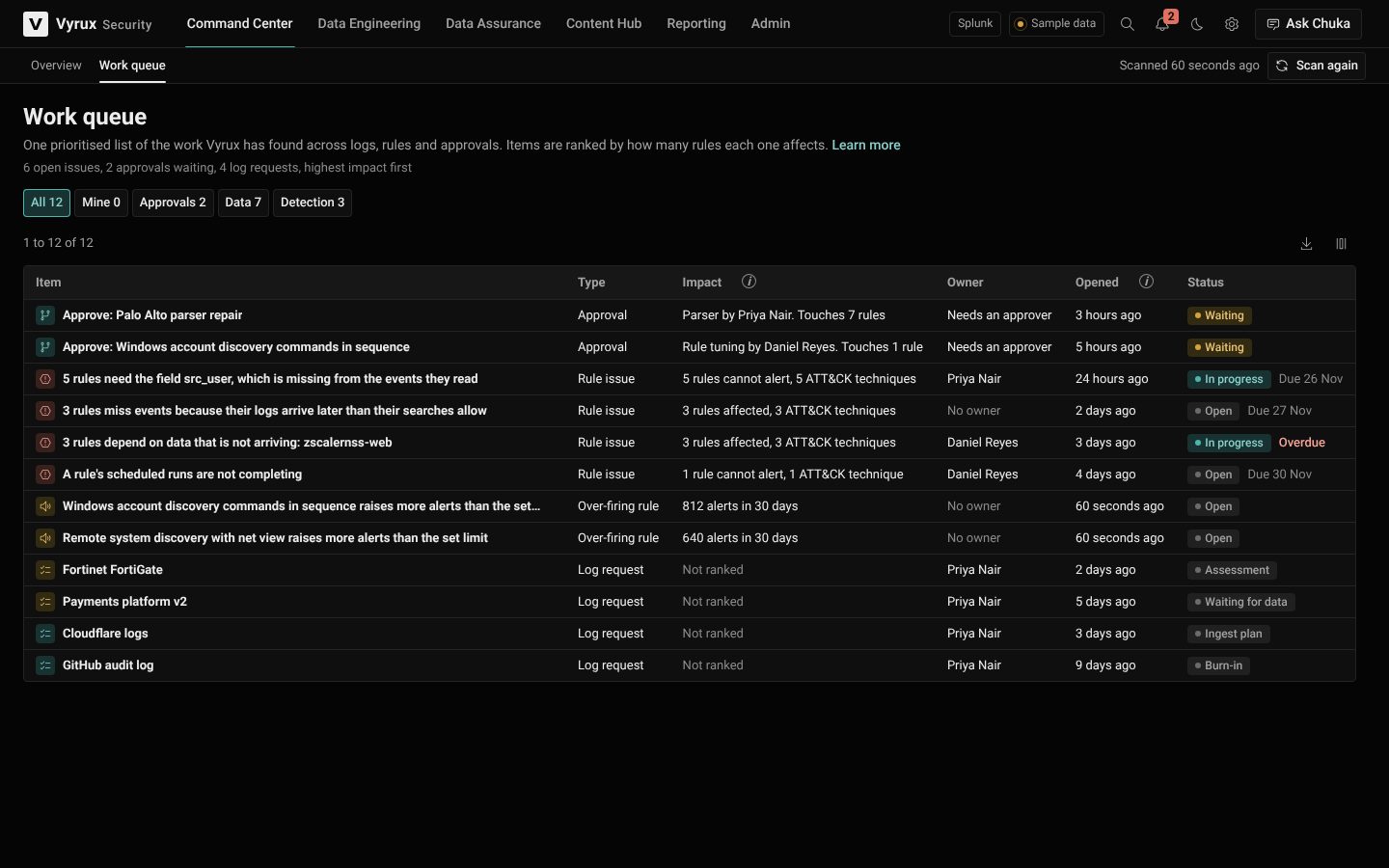
The Work queue is one list of everything Vyrux found across logs, rules and approvals. Approvals waiting for someone come first, then the work that affects the most detections. Each row shows who owns it and when it is due, and Mine shows only your work.
The bell in the top bar counts what is new since you last opened the queue, and approvals waiting for you.
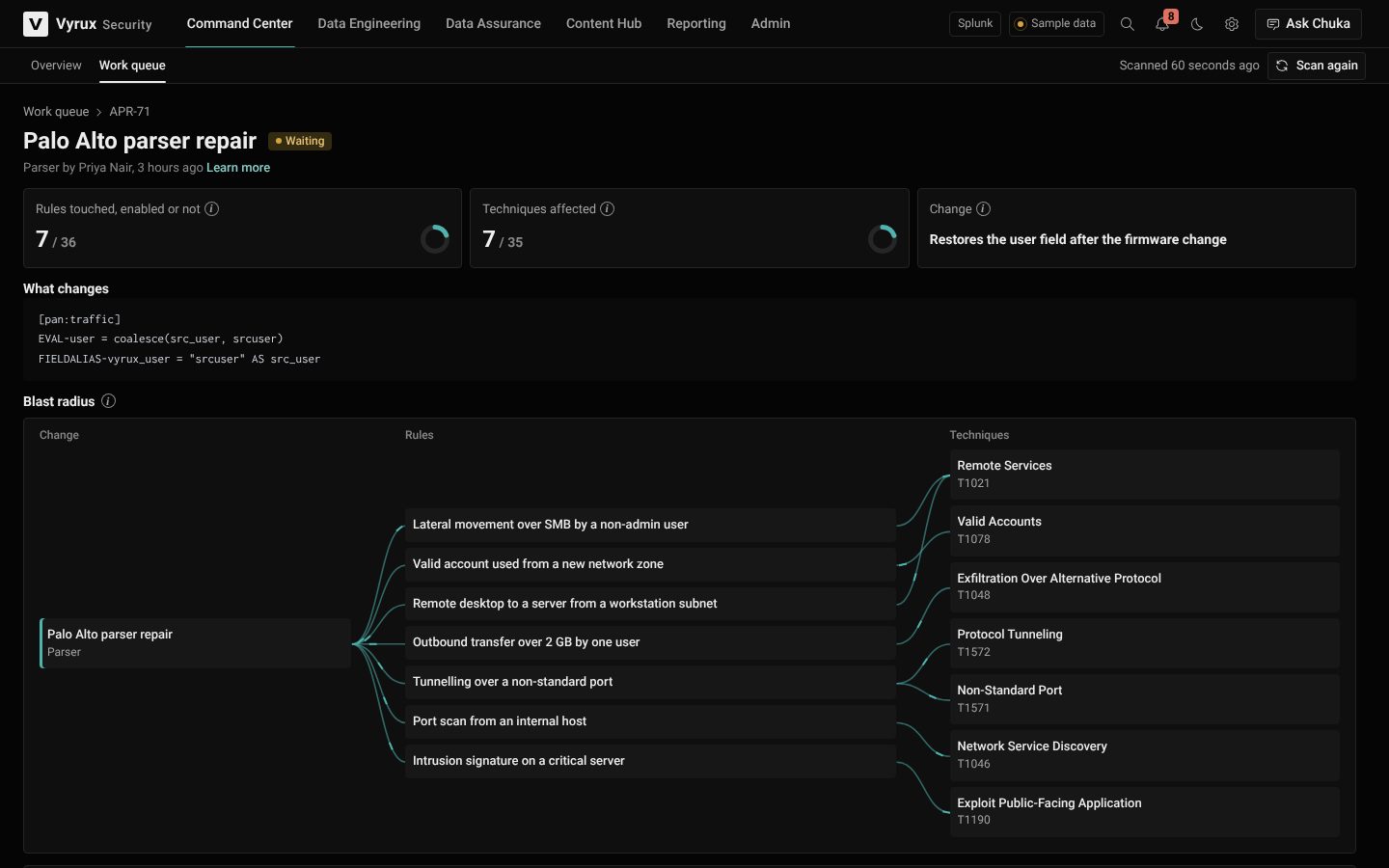
When a change needs a second person, it waits here as an approval. The approval shows exactly what changes, and the blast radius: the rules and attack techniques the change touches.
- Open the approval from the work queue or the bell.
- Read What changes and the blast radius. Test both versions over 7 days runs the search before and after the change on real data.
- Add a note if you want, then select Approve or Send back. Approving applies the change in Splunk with your own account.
The author cannot approve their own change, but can Withdraw it while it waits.