Validator
The Validator checks a log field by field against the Splunk Common Information Model (CIM). It reports what is missing, which fields hold unexpected values, the fix, and which rules are affected.
- Pick a log and a data model, or leave Best fit.
- Choose how many events and over what time.
- Select Validate. Nothing in Splunk changes.
- Open a failing field to see the fix. Chuka can write it for you.
- Use Export PDF for an evidence report (who ran it, when, the search, the time range, every field with its coverage, top values and expected values, the fixes, and the rules that depend on it), Fix in Parsing Studio to repair the log, or Ask Chuka to analyse it. Chuka receives the failing fields, the fields the events do have, the rules that read the log and five sample events, and answers with the likely cause and the exact settings that fix it.
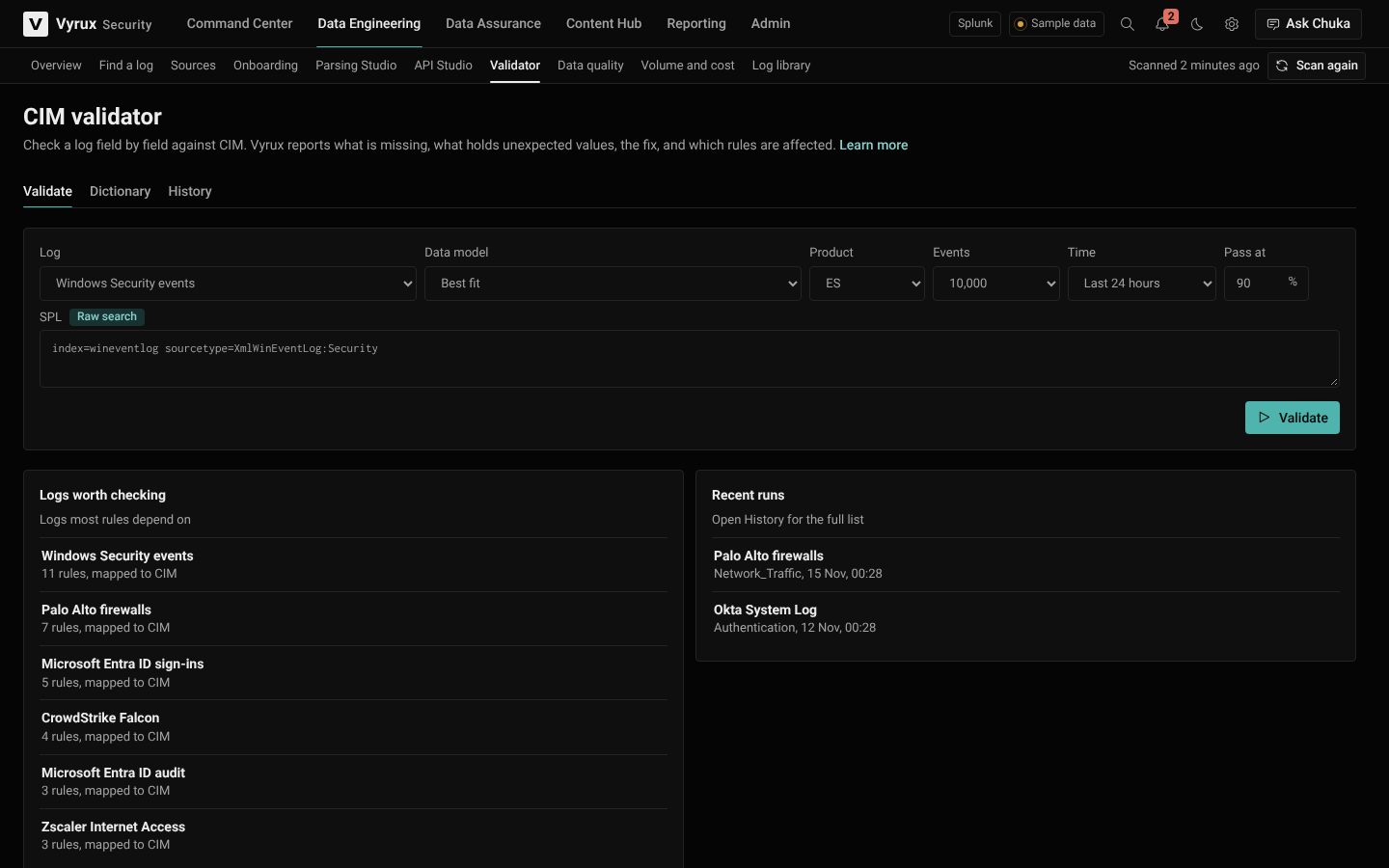
The Dictionary tab lists every field of every data model, including custom ones. History keeps every run.
A fix from Chuka is tried before you see it
On a failing field, Ask Chuka for a fix gives Chuka the field's definition, the values it should take, and every other field in the events with how often it appears and real values. Chuka returns props.conf lines. Vyrux turns each FIELDALIAS, EVAL and EXTRACT line into the search command that does the same, and runs it on your latest 1,000 events. It shows how many events had the field before and after the fix, and the values it produces. If the field is still empty, or a value is not one CIM allows, Chuka gets what happened and corrects it, up to three tries. Lines that only work once installed, such as LOOKUP or REPORT, are named as not tried. Nothing in Splunk changes.