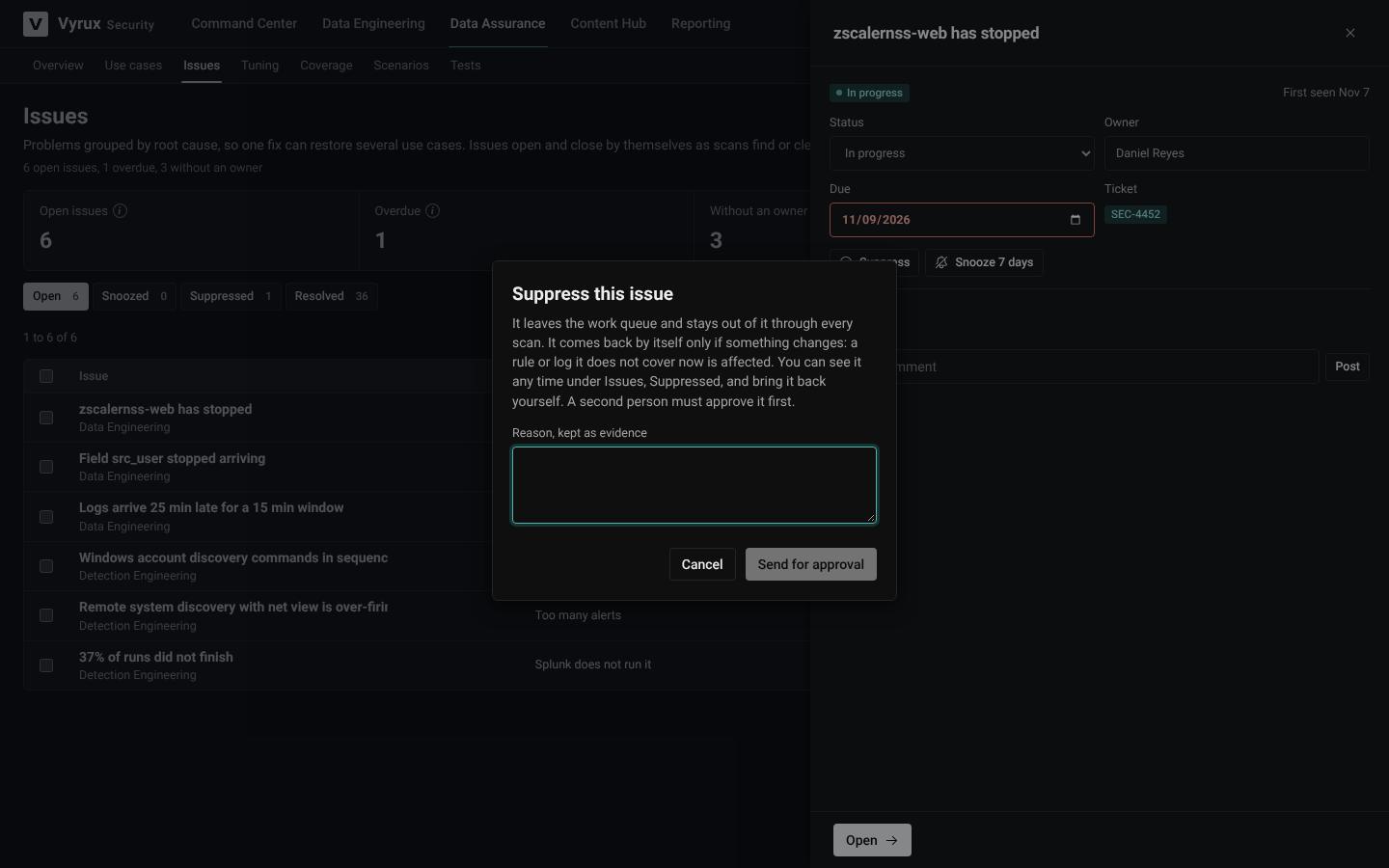
Issues and root causes
Vyrux groups problems by root cause, so one fix can restore several rules. Rules share a root cause only when the cause is the same: Splunk rejecting their searches for the same reason, the same missing field, the same unreachable threshold. The issue's title names it. The background scan opens and closes issues as it finds or clears problems, every time it runs (every 15 minutes unless changed). It is the only thing that writes the issue list, so everyone sees the same issues, each narrowed to the indexes they can search. A fix you make shows on the rule or log at once and closes its issue at the next background scan. Owners, due dates, tickets and comments stay with the issue.
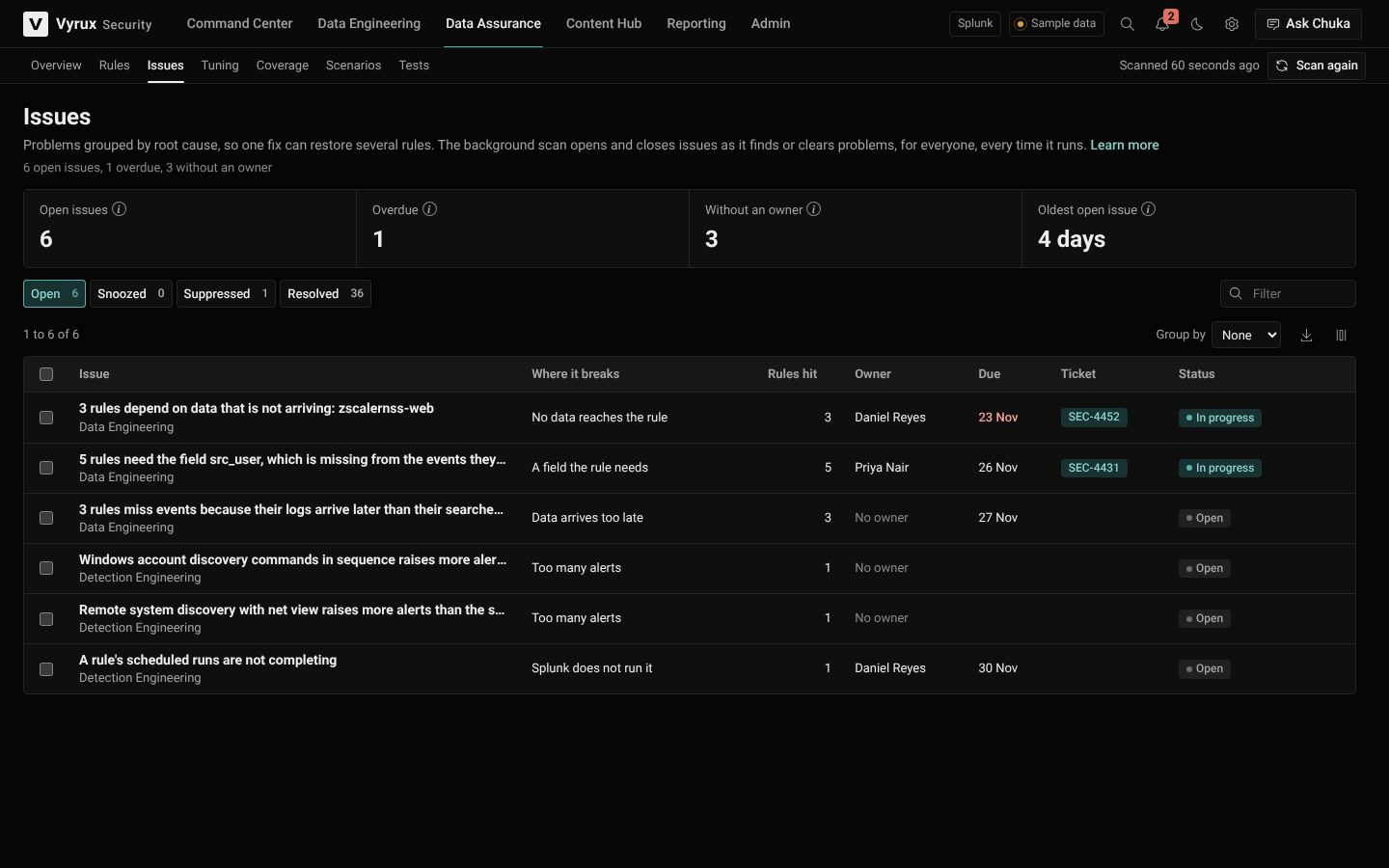
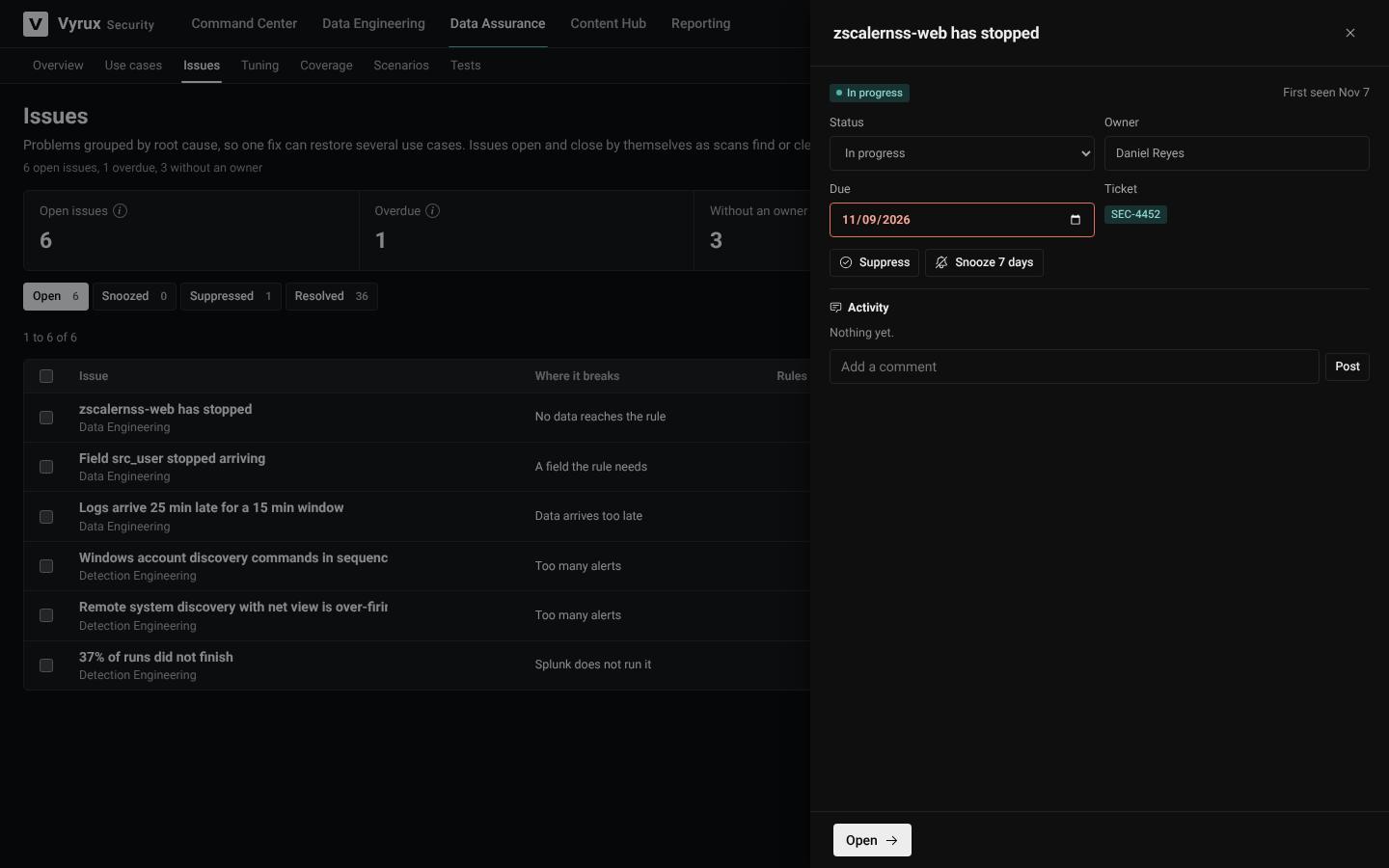
Snooze or suppress
| Snooze 7 days | Hides an issue and holds back its alerts for a week. When the week ends the background scan opens it again and, if the problem is still there, alerts again |
| Suppress | For an issue the team will not fix. It stays hidden through every scan, with a reason kept as evidence |
A suppressed issue comes back by itself only if something changes: another rule or log is affected that it did not cover, or an over-firing rule's alerts double. While the problem stays, the same rules, or fewer, never bring it back; if the problem clears for more than a day and then returns, it opens as a new issue and alerts. While an issue is snoozed or suppressed it sends no alert, for logs, hosts and root causes alike; when it comes back it alerts again. What a suppression covers is the issue as Vyrux holds it, or with a second approver what was approved. You can see every suppressed issue under the Suppressed tab, with its reason, who suppressed it and when, and bring any of them back yourself.
When your team requires a second approver, suppressing is a change like any other: it goes to the approvers first, and the issue stays open until one of them approves.