Content Hub
Every production detection in Splunk Security Content (about 2,000) and every detection strategy in MITRE ATT&CK (about 700), matched to the logs in your Splunk and ranked by the coverage they add. Nothing in the hub is a hand-picked list.
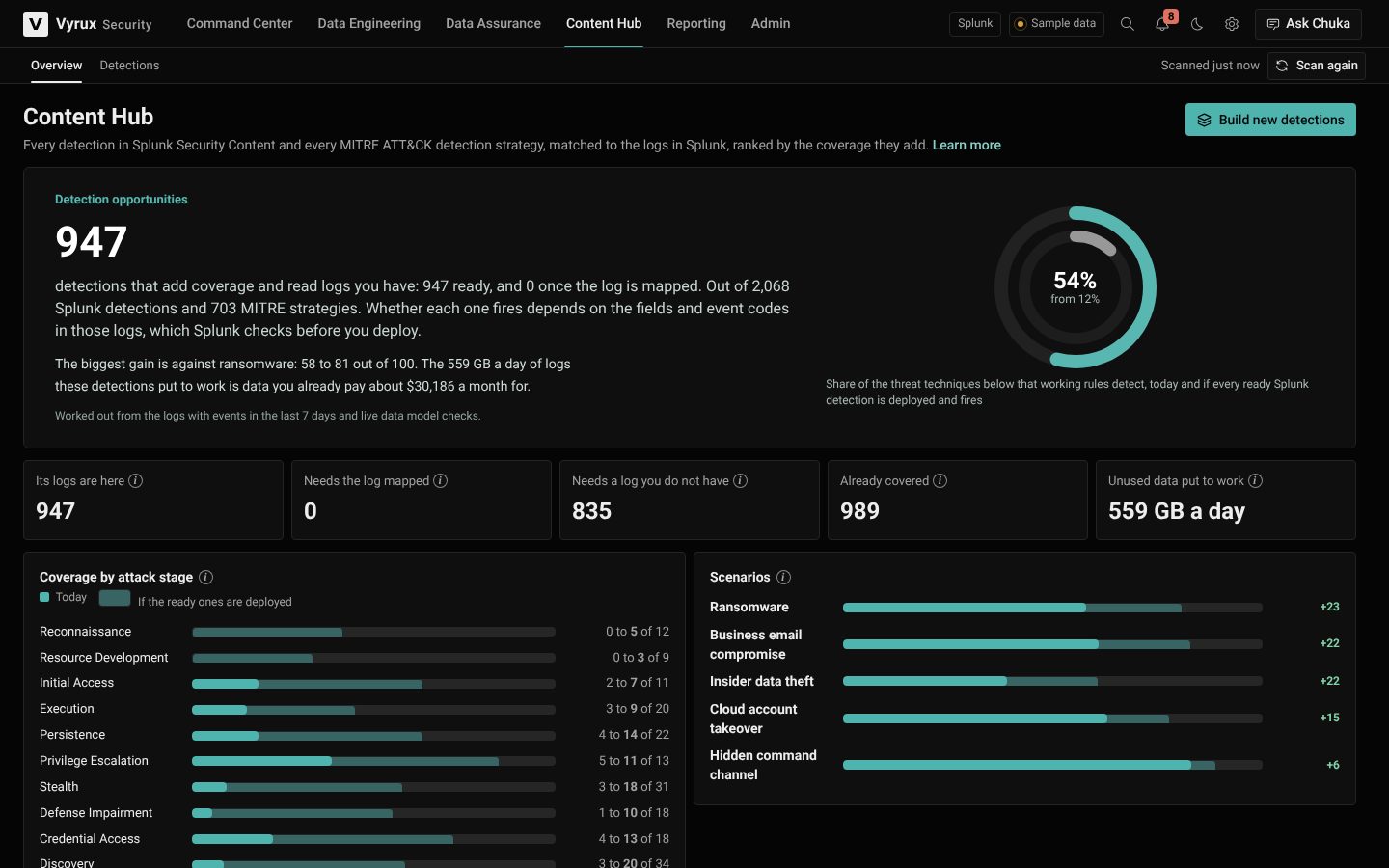
How a detection is matched to your logs
Vyrux reads every index, sourcetype and source with events in the last 7 days, and how many events recently reached each CIM data set. An accelerated data model, as in Enterprise Security, is read from its summaries, which costs the search head very little. Each catalogue detection names the data sources it is written for, with their sourcetype, source and add-on, so Vyrux can tell which of your logs it needs.
| State | What it means |
|---|---|
| Its logs are here | The log it needs is here. For a data model search, events reach that data set today. Whether it fires depends on the fields and event codes it reads, which Splunk checks before you deploy |
| Needs the log mapped | The log is here, but its events do not reach the data model the search reads. The page names the add-on that maps it, and the Parsing Studio can map it |
| Needs a log you do not have | None of your logs carries the data. The page names the logs and add-ons that would |
| Already covered | A working rule already covers its techniques, or the same detection is already deployed |
A MITRE strategy has no search of its own. MITRE describes what to look for, on which platform, and in which logs (such as WinEventLog:Security or AWS:CloudTrail). Vyrux matches those logs to yours, and Chuka writes the search for them.
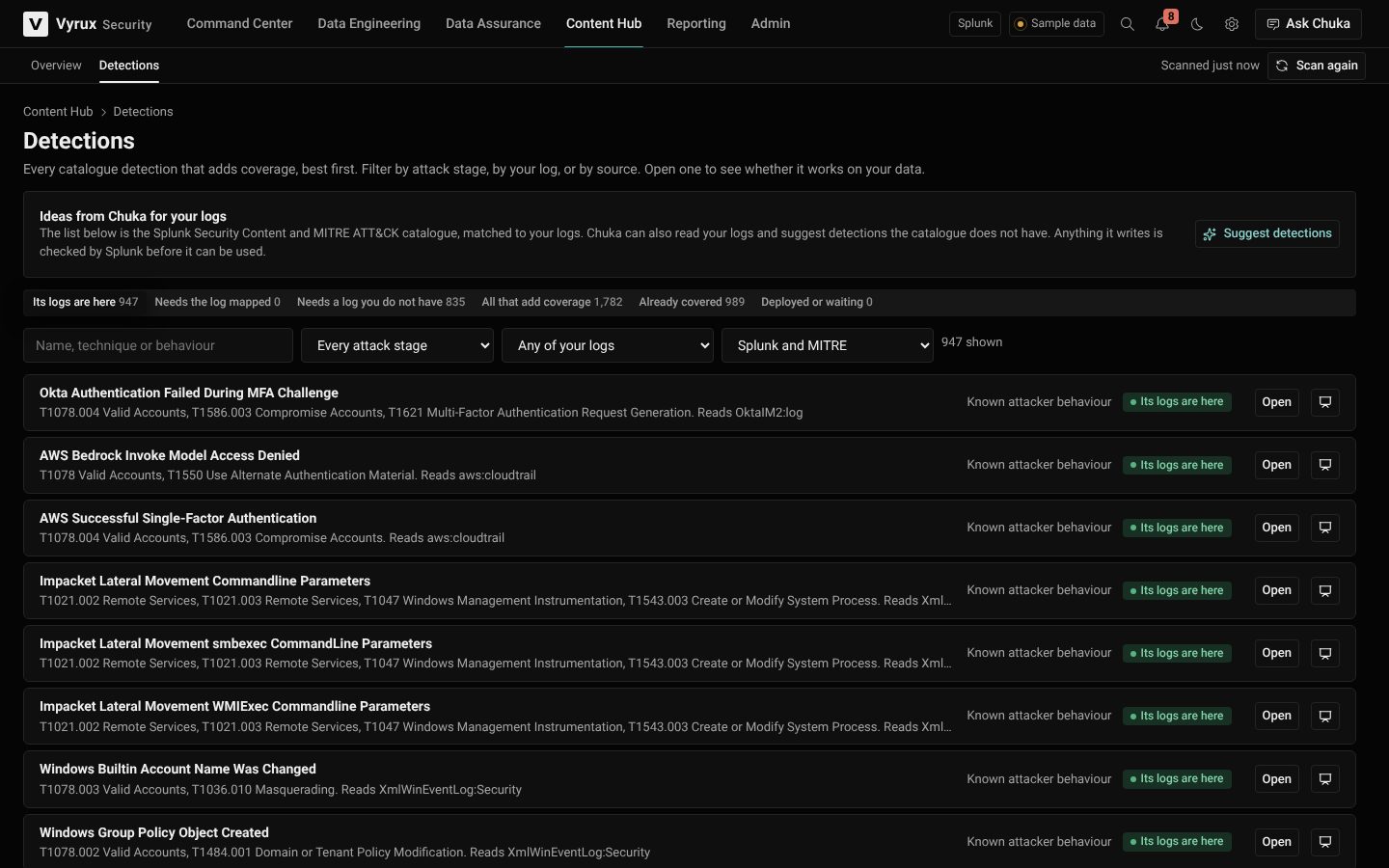
Detections
The list shows every detection that adds coverage, best first. Filter by attack stage, by one of your logs, or by source (ready-made Splunk searches, or MITRE strategies). Search by name, technique id or behaviour.
One detection
The page shows what it detects, its techniques, its known false positives, and The data it needs: each data source it is written for, with its sourcetype, add-on, and whether your Splunk has it. Read the fields in your events reads your latest events and shows, for each field the search uses, which raw field the add-on maps it from and whether your events have it.
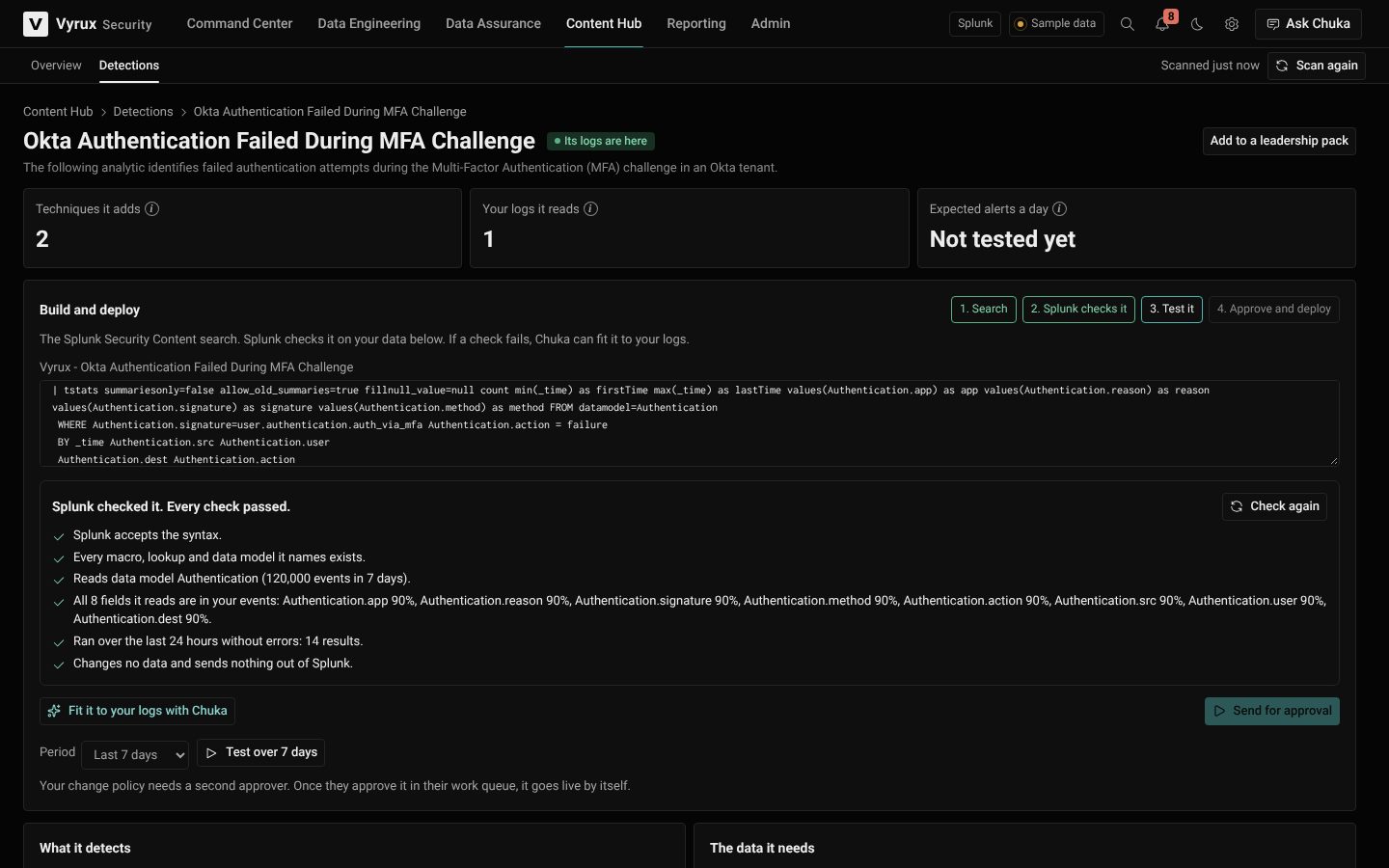
Build, check, test and deploy
- The search. A Splunk Security Content search opens with the index your logs are in. A MITRE strategy has none until Chuka writes it.
- Splunk checks it. As soon as the page opens, and after every edit, Splunk checks the search: its syntax, every macro, lookup and data model it names, every field it reads against your real events, and a test run over the last 24 hours. Each check is listed. Deploy stays off until all pass.
- Fit it with Chuka. If a check fails, Fit it to your logs with Chuka gives Chuka the search, what Splunk rejected, and the real fields and values in your logs. Chuka rewrites it, Splunk checks it again, and Chuka repairs what still fails, up to three tries. Every try is shown.
- Test it. Replay it over 7, 14 or 30 days to see how often it would alert.
- Deploy to Splunk. The rule is created in the Vyrux app, enabled, and runs every 15 minutes over a 15 minute window that ends 5 minutes ago (from 20 to 5 minutes ago), so windows meet without overlap and late events are still found. On an Enterprise Security search head it is a correlation search that raises a notable. It is recorded in the change log, where Roll back disables it again.
If your change policy needs a second approver, the button reads Send for approval. The rule goes to the approver's work queue and goes live by itself as soon as they approve it.
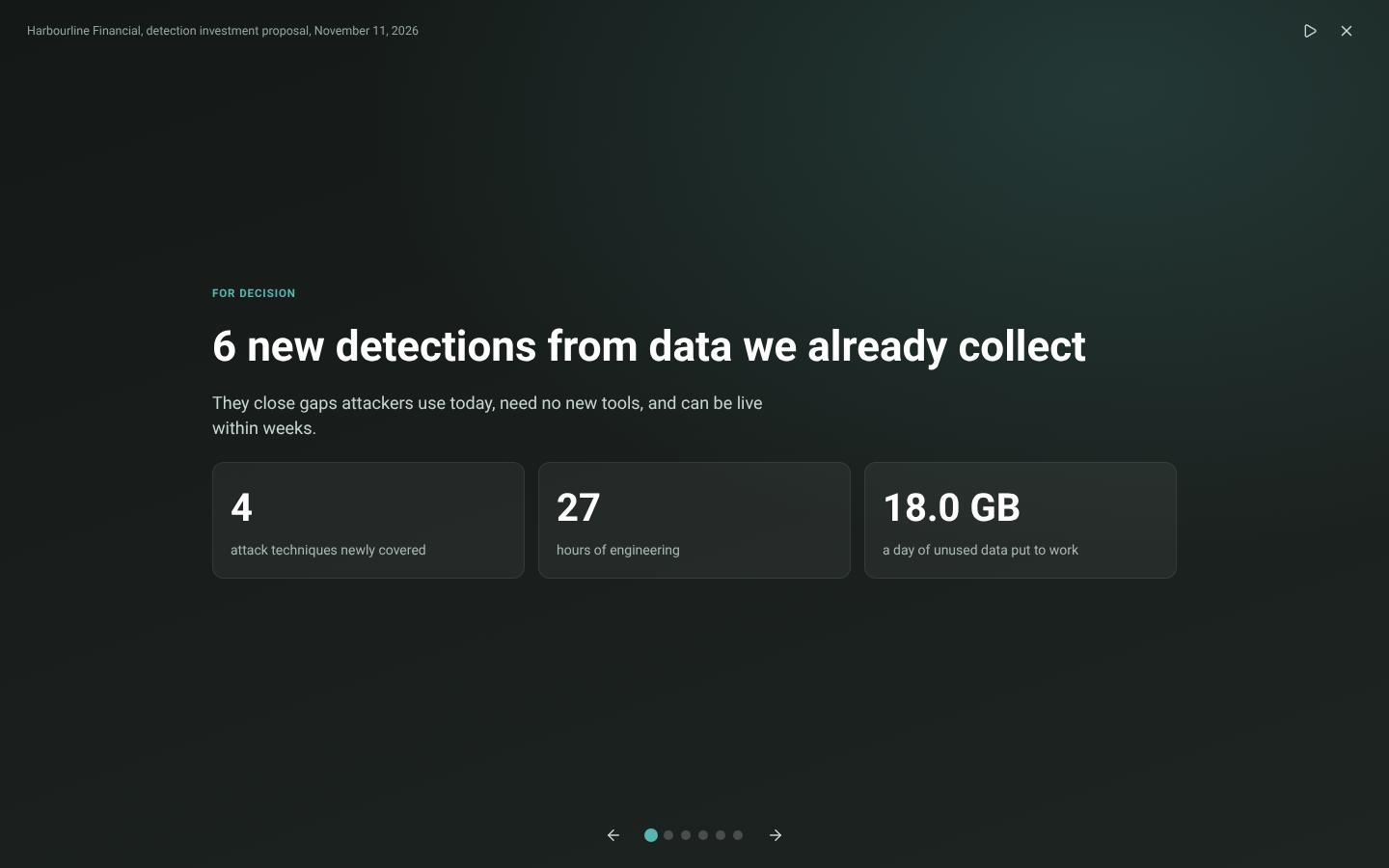
The leadership pack (optional)
Some teams present new detections before they build them. The pack button on a detection adds it to a full-screen presentation, and decisions taken in the meeting are recorded with the name of the person who approved them. It is not needed to deploy anything.
Ideas from Chuka
On the Detections page, Suggest detections asks Chuka to read your logs (sourcetype, volume, whether rules read them and whether they map to CIM) and the techniques your working rules already cover, and to suggest detections the catalogue does not have. Only ideas that use logs your Splunk really has are shown. Write it with Chuka opens the idea as a new rule draft, where the same Splunk checks apply.
Testing a detection
Test runs the search 12 times across the last 7, 14 or 30 days, each run over the window the rule will use (from 20 to 5 minutes ago, every 15 minutes), exactly as Splunk will run it. It reports how many runs returned results and an estimate of alerts a day, and checks that every field the search uses is present in recent events. A field missing from the events is shown in red, because a condition on it can never match.
Where the catalogue comes from
The catalogue ships with the app and is rebuilt from the latest Splunk Security Content and MITRE ATT&CK release for each version of Vyrux. Splunk Security Content is published by Splunk under the Apache License 2.0. MITRE ATT&CK is published by The MITRE Corporation under its terms of use. Each detection keeps its original name, description and references.