Plans, trial and activation
Vyrux has one plan with everything included, for every team. You can pay monthly or yearly by card. The yearly price gives two months free.
- Go to Admin, Licence. Only a Vyrux admin can buy.
- Enter a billing email and select Buy on the plan you want. Stripe opens in a new tab. If your browser blocks the tab, Vyrux shows a link instead.
- Pay by card in the Stripe tab. If you have a promotion code, select Add promotion code there. A free order needs no card.
- Come back to Splunk. Vyrux activates by itself within a minute, with no code to copy. If you closed the page, the background scan finishes the activation.
Renewals, billing and cancelling
- Your plan renews each month or year. Vyrux collects the new period's code by itself, even if nobody opens it.
- Manage billing under Admin, Licence opens the billing portal: change the card, download invoices, switch between monthly and yearly, or cancel.
- A cancelled plan keeps working to the end of the period you paid for.
- Extra AI credits can be bought as a top-up. They last until the next reset.
- If a payment is refunded or disputed with the card issuer, the licence stops at once. Vyrux switches to read only within the hour and says why on the Licence page.
To try it first, enter your work email and select Start a free 30-day trial. There is one trial per email address and one per Splunk server.
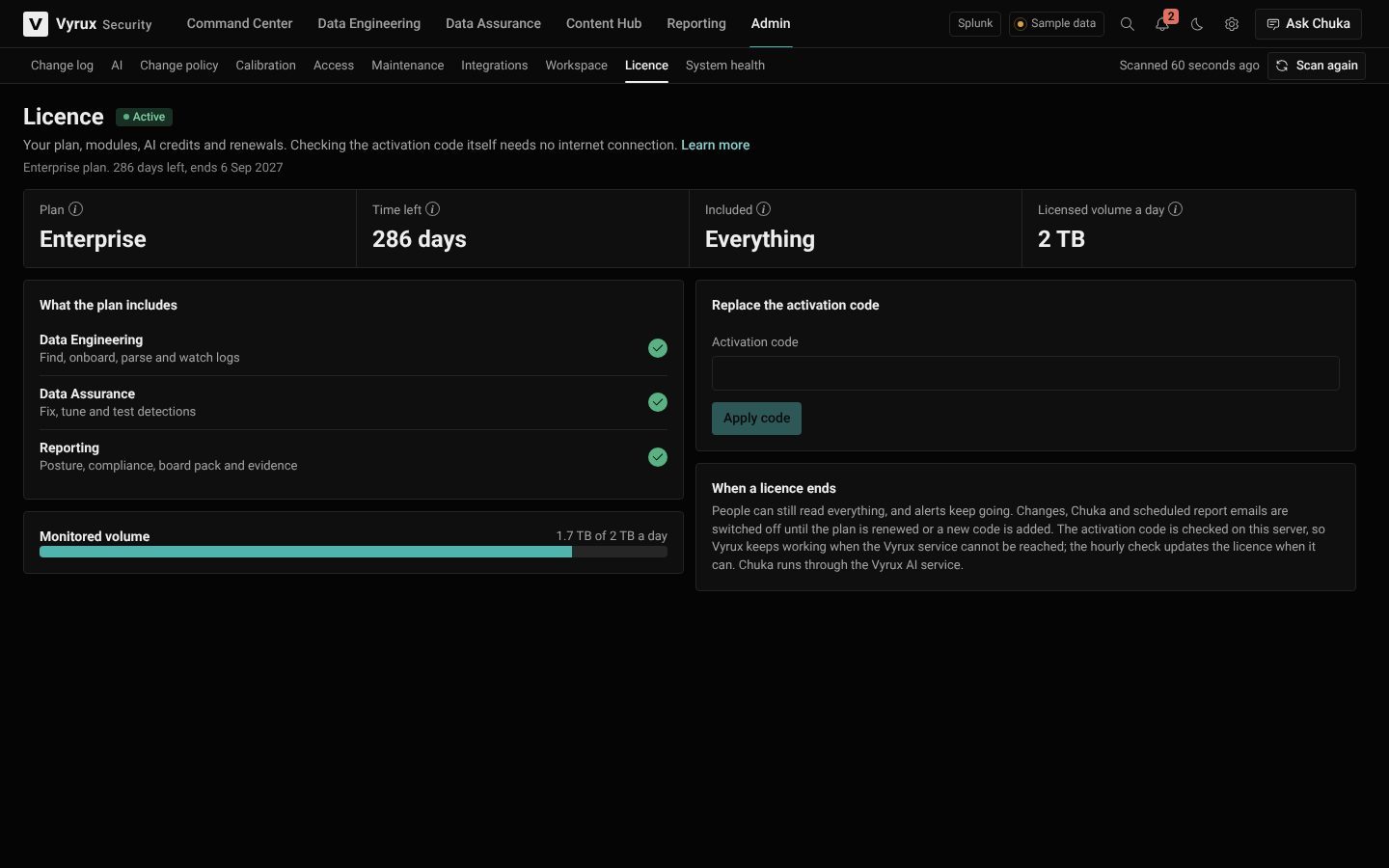
If you received an activation code from Vyrux Security, paste it under Replace the activation code and select Apply code. Once an hour the licence check sends the activation code and two Splunk server IDs to Vyrux, and nothing about your data, logs, rules or people. Security and data handling lists everything that leaves your network.
Note
When a licence ends or stops, people can still read everything, and alerts keep going: a silent log or a broken rule is reported whatever the licence state. Changes through Vyrux, Chuka and the scheduled report emails switch off until the plan is renewed or a new code is added.
Note
When an activation code is present, the background scan asks the Vyrux service about the licence once an hour. The call sends the code, the server ID the licence is tied to (a Splunk server GUID) and this search head's own GUID, and nothing about your data. It collects the next code after a renewal, and it is how a licence stopped after a refund or a payment dispute is found.