Coverage, scenarios and tests
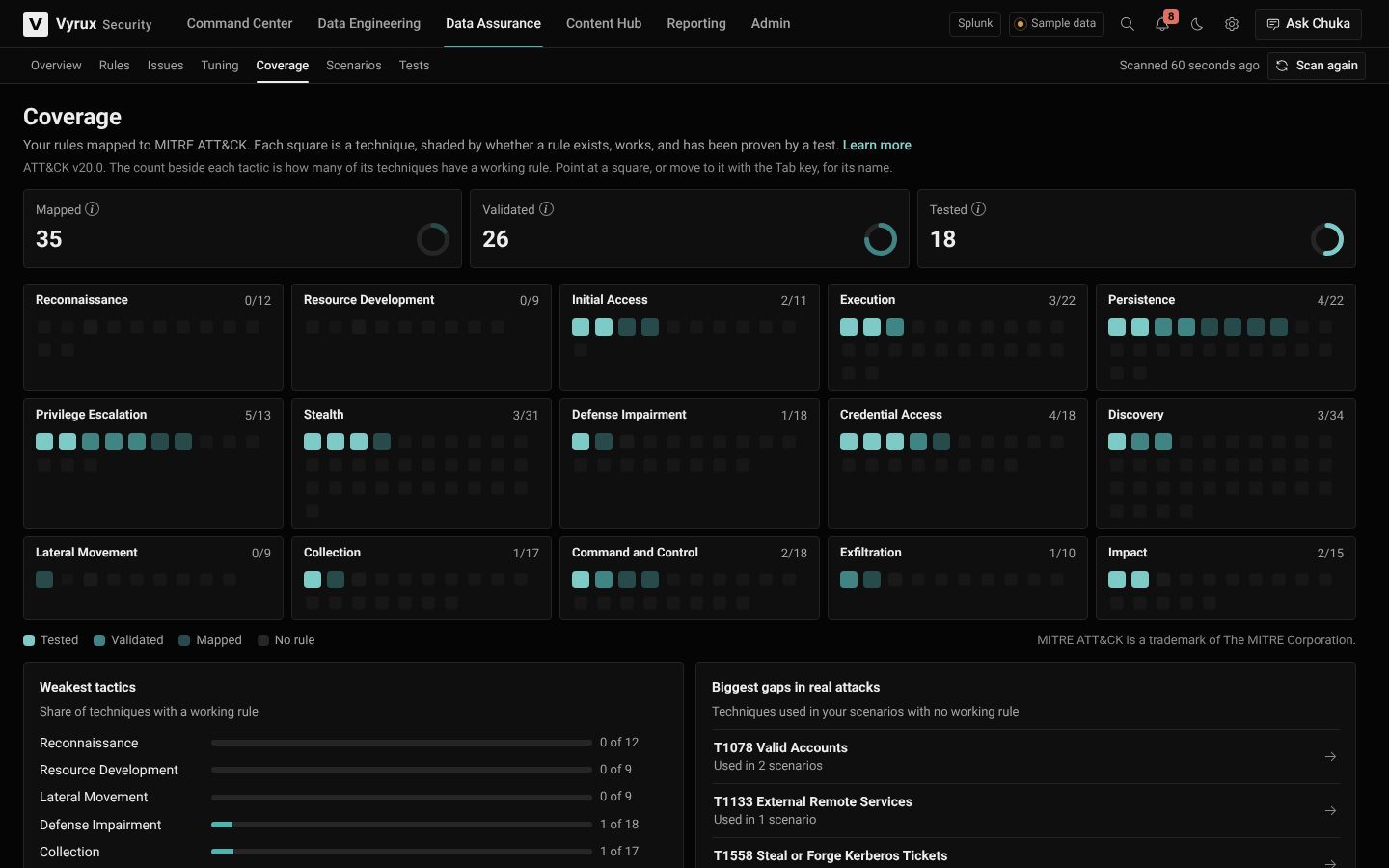
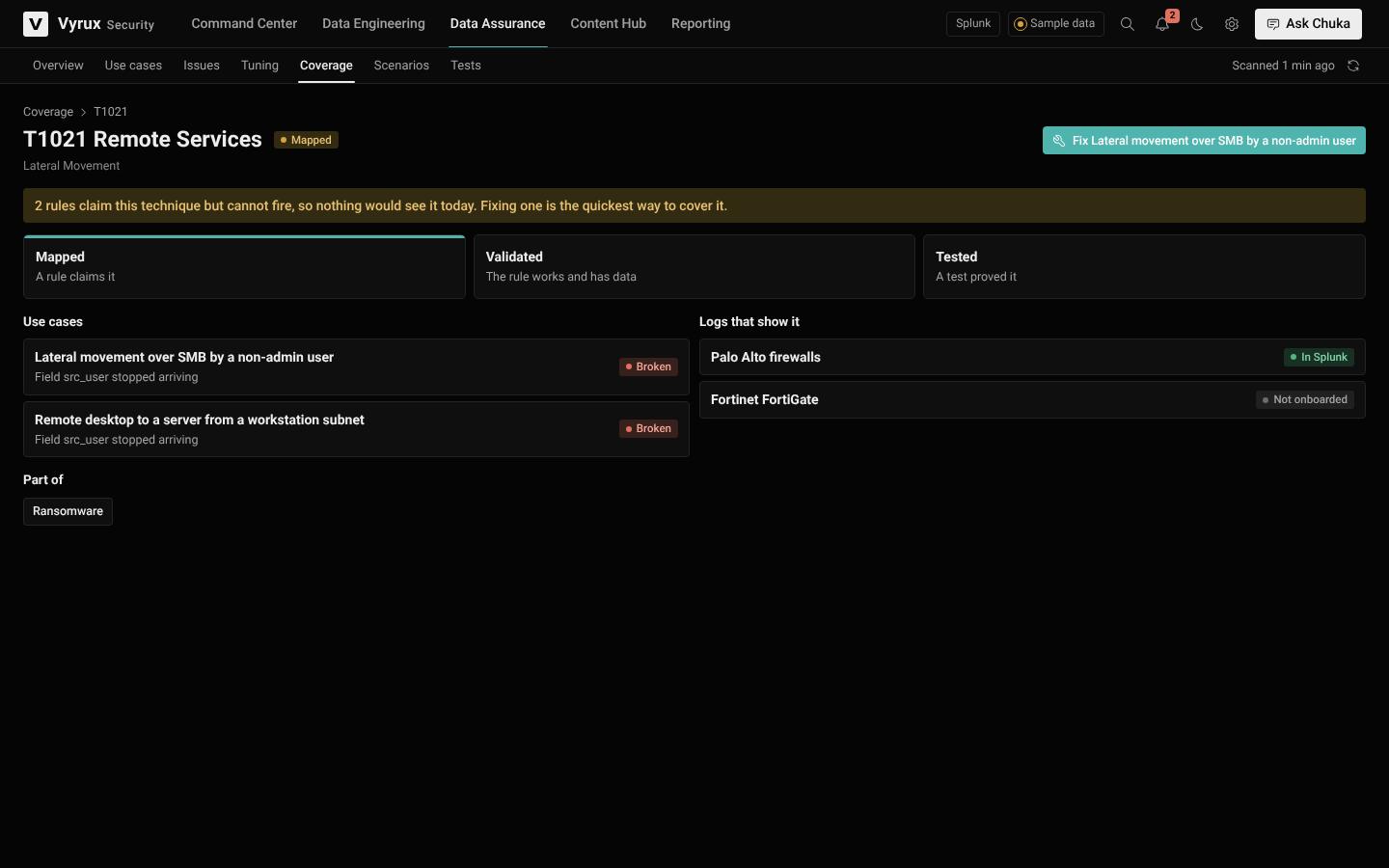
Coverage maps your rules to MITRE ATT&CK. Each square is a technique: mapped (a rule claims it), validated (the rule works and has data) or tested (a test proved it).
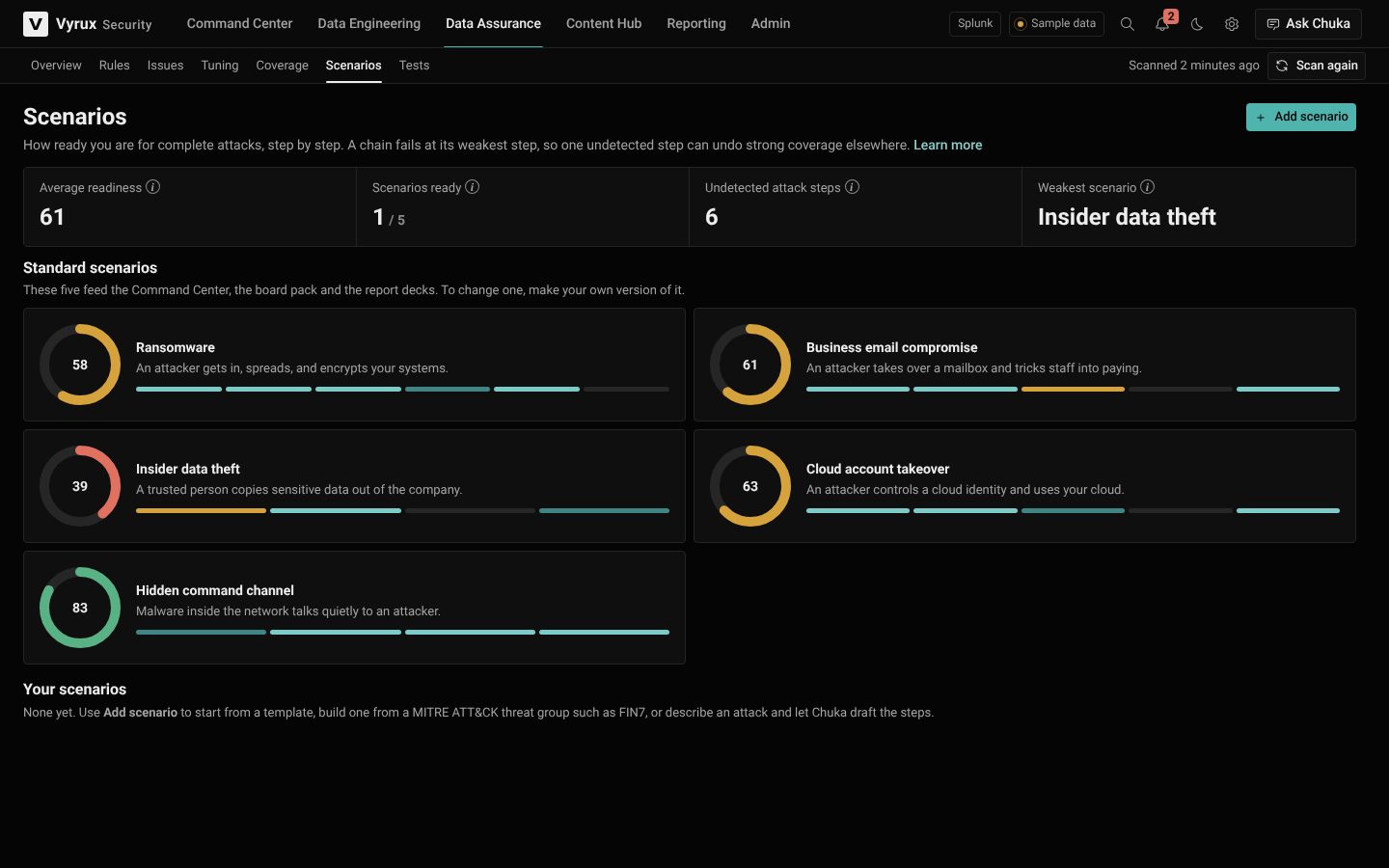
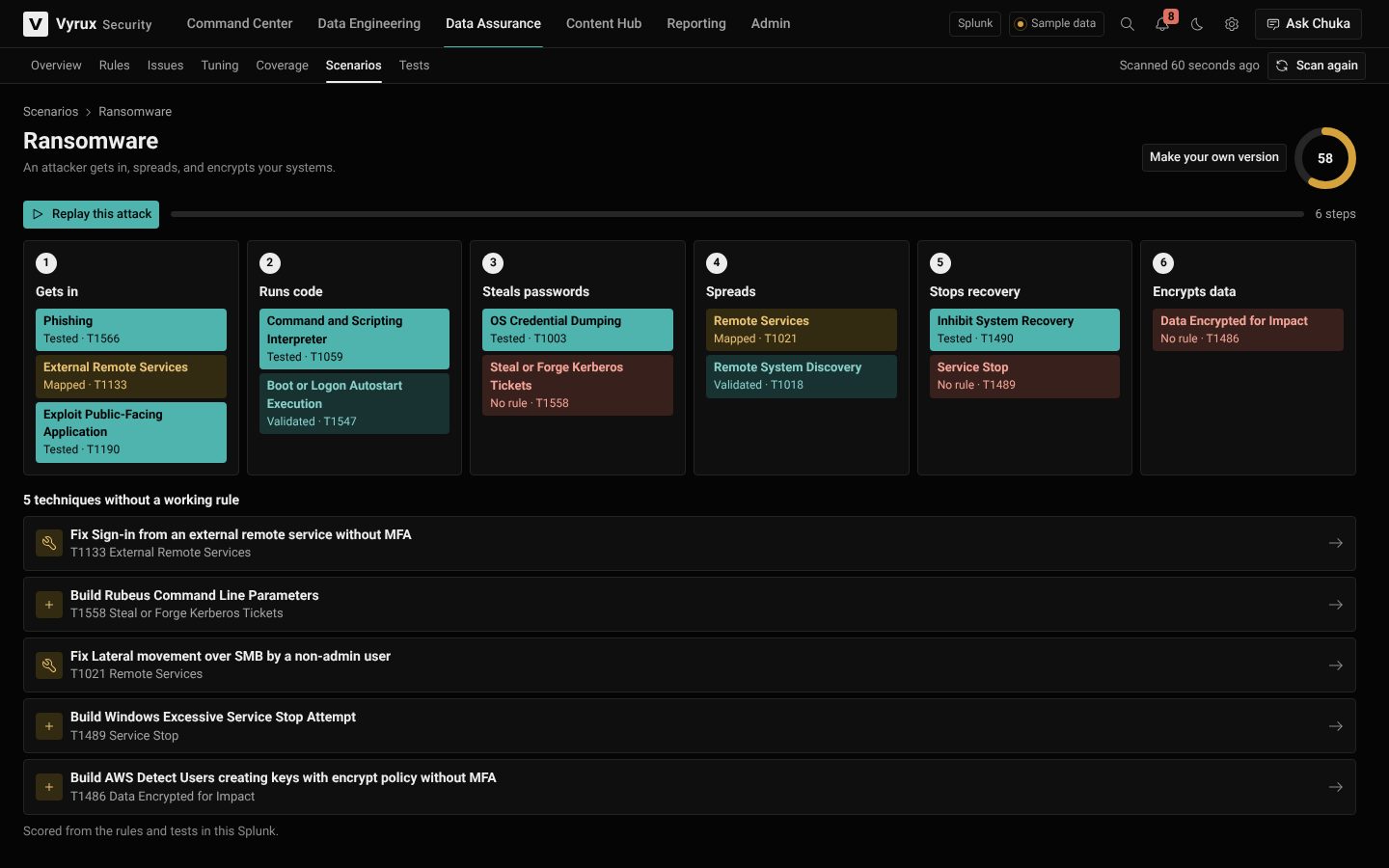
Scenarios follow a complete attack step by step. A chain fails at its weakest step, so one undetected step can undo strong coverage elsewhere.
How a scenario is scored:
- Each step lists the ATT&CK techniques an attacker uses at that point. Each technique takes its level from your rules: no detection, mapped (a rule claims it but cannot fire), validated (a rule works) or tested (a test proved it).
- The score out of 100 averages those levels. A step counts as seen when any of its techniques has a working rule.
- Replay this attack walks through the steps on screen and stops at the first step you would not see. Nothing runs in Splunk.
The five standard scenarios feed the Command Center, the board pack and the report decks. Use Add scenario to add your own:
- From a template: supply chain compromise, web application breach, Active Directory takeover, data destruction and payment fraud. Each becomes your own copy to change.
- From a threat group: search the groups in MITRE ATT&CK, such as FIN7 or Scattered Spider. Vyrux builds the steps from the techniques MITRE records the group using, in attack order.
- Describe it to Chuka: write the attack in a sentence or two. Chuka drafts the steps and techniques, and you review them before saving. Made-up technique ids are dropped.
Open any of your scenarios and select Edit to rename it, change, add, reorder or remove steps, and pick techniques. On a standard scenario, Make your own version copies it first, so the reports keep using the standard one.
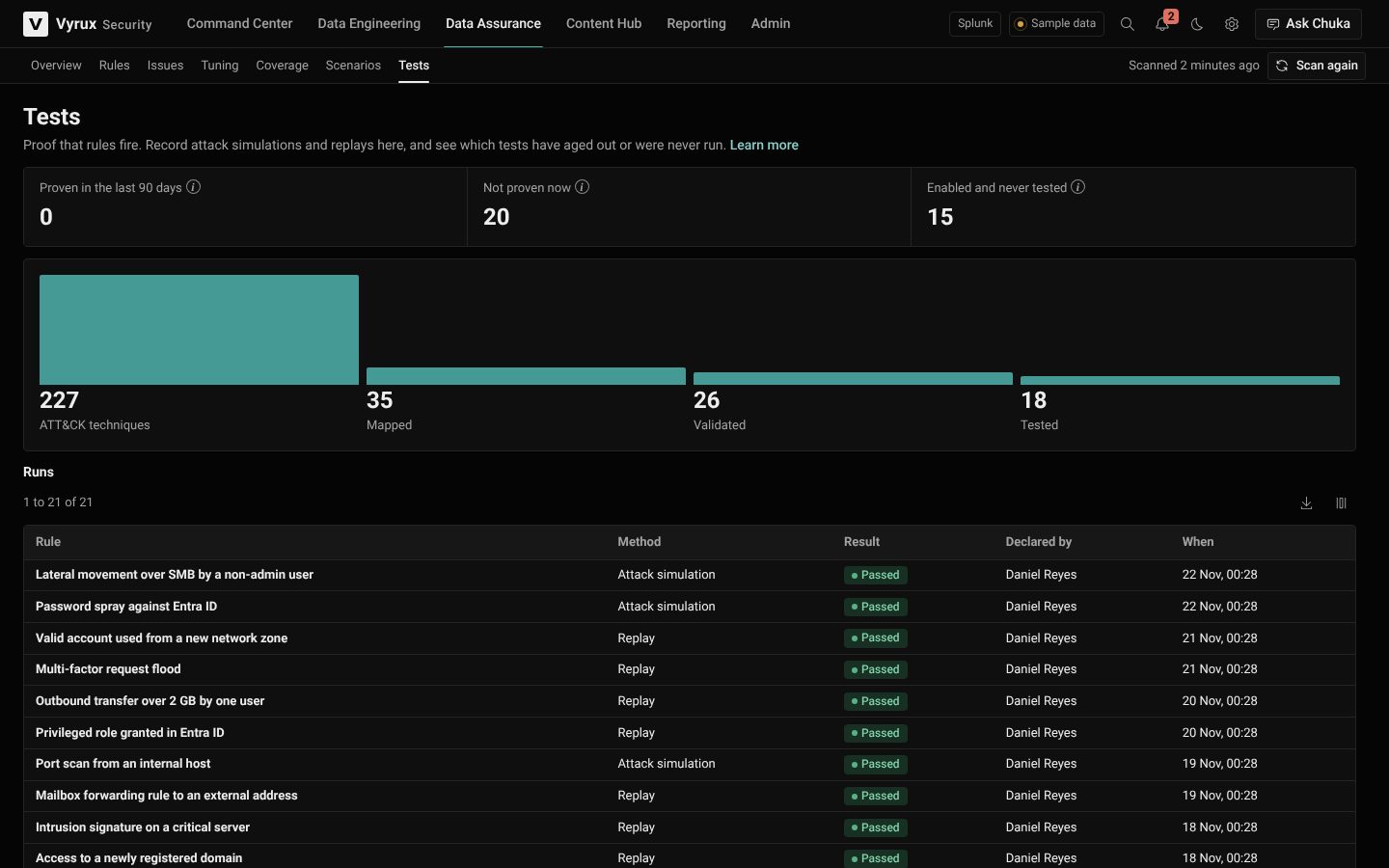
Tests records proof that rules fire: dry runs, replays and attack simulations, and which tests have aged out.
To record an attack test, open the rule, then Tests. Choose how you tested it: an attack simulation (the attack run safely on a test machine, for example with Atomic Red Team) or a replay (recorded attack events sent into Splunk). Say what you ran, where and when, then select It alerted or It did not alert. An alert marks the rule's techniques as Tested. No alert opens an issue so the gap is fixed. The person who recorded a test, or an admin, can remove a record entered by mistake.
Replay this attack on a scenario stops at the first step you would not see. Continue the attack to the end plays the remaining steps, so you see every step that is seen and every one that is not before you decide what to fix first.