Change log and change policy
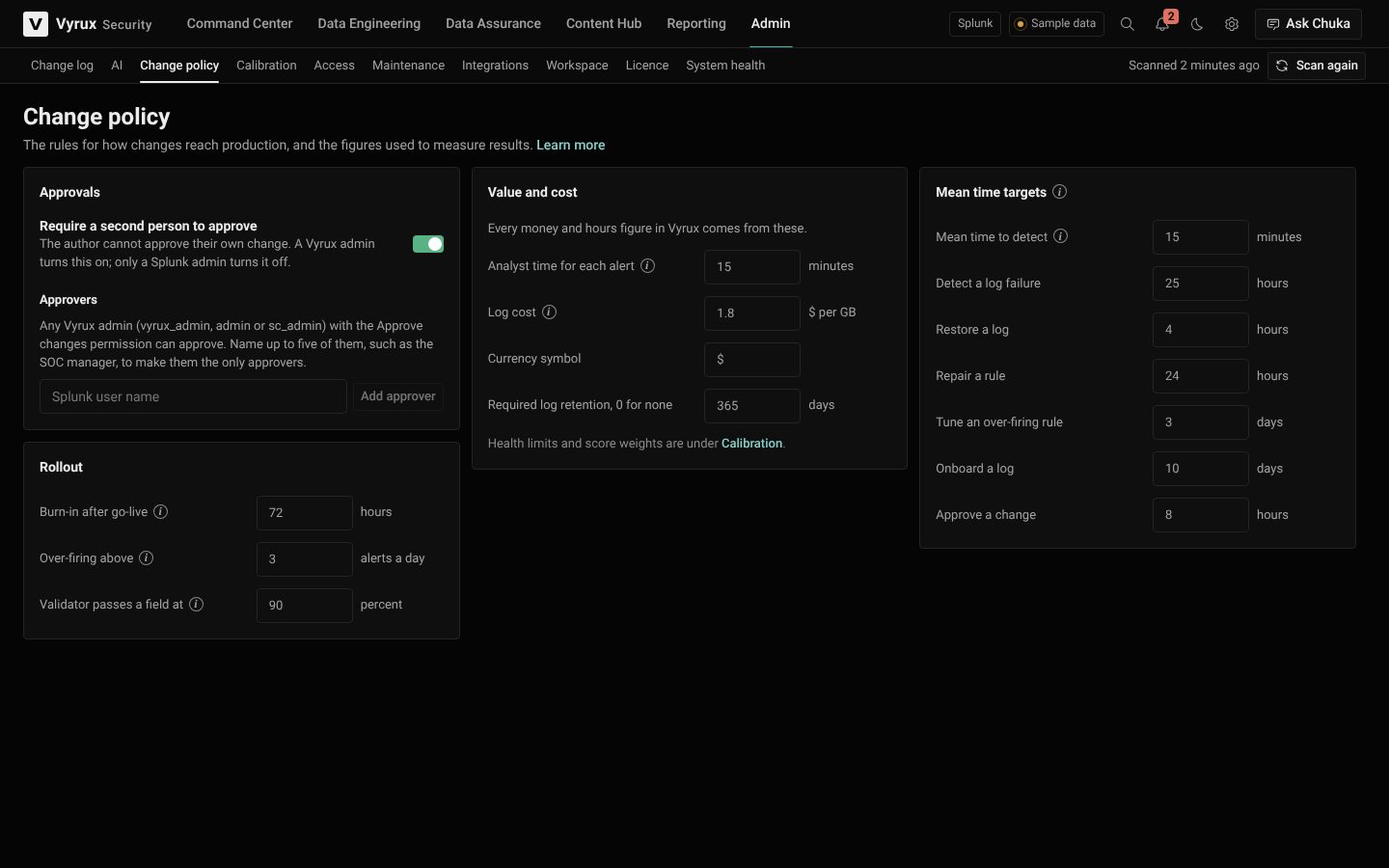
The Change log lists every change Vyrux made in Splunk, who made it, who approved it, and whether it was rolled back. Open a change and select Roll back to undo it. Vyrux refuses a roll back if someone edited the rule in Splunk afterwards, so their edit is never lost. Rolling back a parser puts back the settings each stanza held before it and removes only what was new.
A rule change (a fix, a tuning, a new schedule, a new rule) is made by the Vyrux service on your Splunk server, with your own Splunk session, in the same step as its change log entry. A change shown as approved is checked against the approval itself, and the author and approver are taken from it, so nobody can write a second approver into the change log by themselves. The approval carries a fingerprint of the exact search or parser settings asked for, and a rule change is made as approved only when the approval names that very rule, where Splunk held it when the request was made, is for that kind of change and covers exactly its content; it is used once, and it is good for 30 days. The Vyrux service writes each request itself from what it asks for, and its author can always withdraw it. With a second approver required, a rule change or a parser deployment without its approval is refused and not made. Parser deployments, their rollbacks and new indexes made from Onboarding are made by the Vyrux service the same way, in the same step as their entry: a new index with your own session, parser settings as the Splunk system after the service has checked them, because no Vyrux role can write parser settings in Splunk directly. A rule change is refused when the rule's search or schedule in Splunk is no longer the one shown when the change was asked for, so an approval never covers replacing an edit made since. A parser deployment is rolled back only while Splunk holds what it wrote and no later deployment changed the same settings. A new index is recorded but never removed by a rollback, because removing it removes its events.
When a change is recorded, the Vyrux service reads Splunk itself: a parser deployment's settings from the Vyrux app, a rule's search or schedule from the saved search. The change log shows Live, checked when Splunk holds what was recorded, and Not in Splunk when it holds something else. A test result is the statement of the person who ran it, shown as Declared by.
A rollback is a new entry, only for the person who made the change or a Vyrux admin who can search the indexes it touches. A rule change is rolled back by the Vyrux service itself, with your session, only while Splunk holds exactly what the change made. For parser settings, the service records the rollback after it has read them in Splunk and found the change gone. The entry that was rolled back is never altered.
Splunk's own permissions are the hard control on who can write to Splunk: a person who can edit a rule in Splunk can edit it with or without Vyrux. The second approver gates and records the changes made through Vyrux.
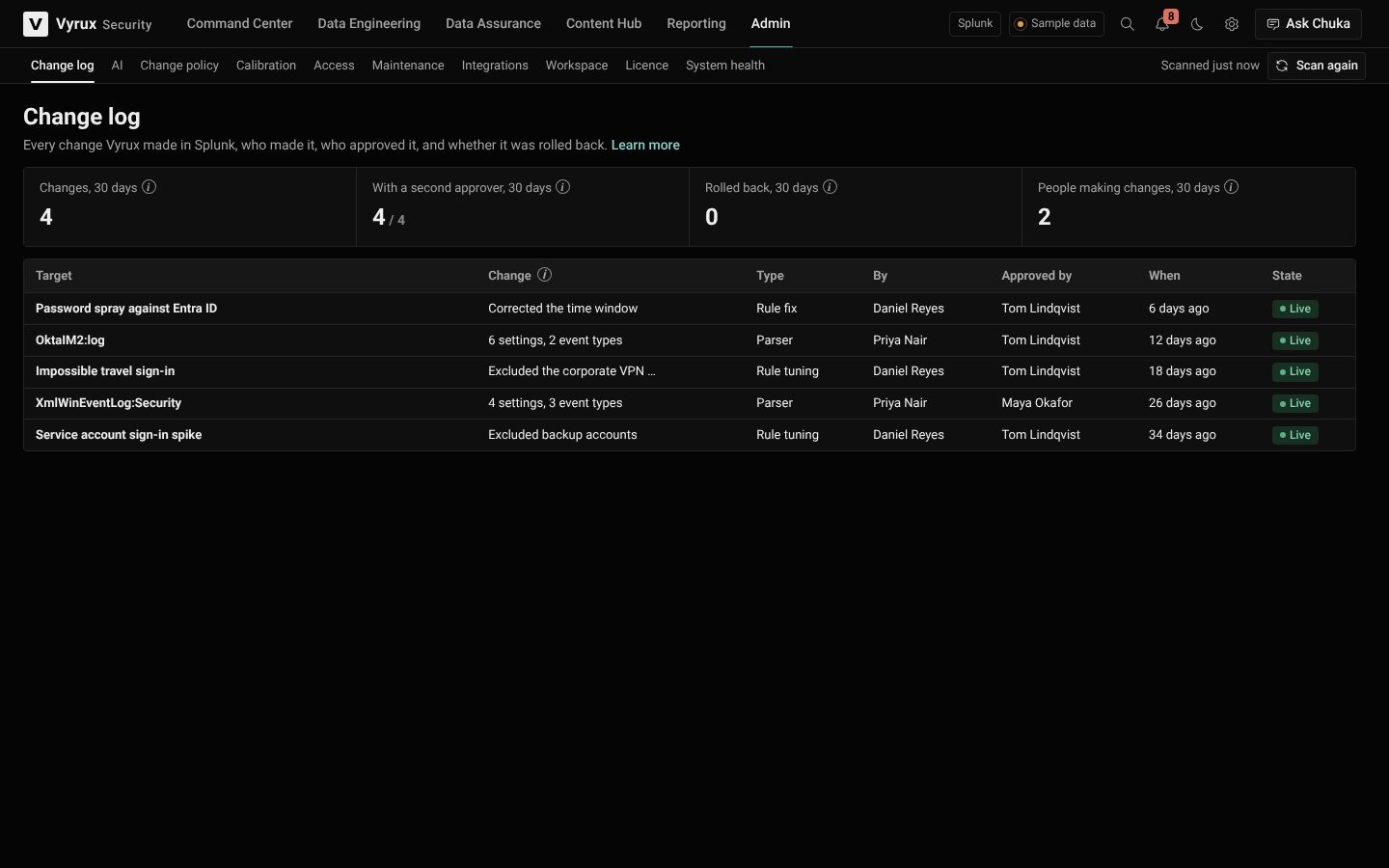
Change policy sets how changes reach production: whether a second person must approve, who the approvers are, the burn-in time after go-live, the over-firing limit, and the figures behind every money and hours number.
Second approver and named approvers
Turn on Require a second person to approve and every change waits for approval: rule fixes, tuning, new rules, parsers, schedule changes and suppressing an issue. A drafted rule can then only be sent for approval, not saved turned off. A maintenance window planned by an analyst lasts 24 hours at most; a longer one is planned by a Vyrux admin. API collectors and HEC tokens are not sent for approval: only people whose role may deploy can create them, and each one is in the change log and can be removed. Nobody approves their own change, and only a Vyrux admin (the vyrux_admin, admin or sc_admin role) can approve or send one back. An analyst can ask for approval and withdraw their own request, never decide one.
Under Approvers, name up to five people, such as the SOC manager and deputies. Only they can then approve, and any one of them is enough; each must also be a Vyrux admin. With no names, any Vyrux admin with the Approve changes permission can approve. The Vyrux service on your Splunk server checks this too, so it cannot be worked around from the browser.